Making payments is a pain, especially when you work with multiple contractors.
Not only do you need to find the right payment provider (and add yet add another tool to manage), but you’ll need to carefully copy and paste account details, double check the right payment amounts, and triple check that everything is set up correctly. And if you get it wrong, it’s almost impossible to get that money back. Especially if you’re working with regular contractors for the same amount each month on an ongoing basis, the time involved in invoice approvals and payment administration can quickly add up.
At Remote, we’re making it easier for employers to onboard, manage, and pay contractors wherever they’re based in a legally compliant, simple way.
Streamline admin with automatic approvals and payments
On the Pay contractors screen in Remote, you’ll now see a new option for Automatic invoice payments .
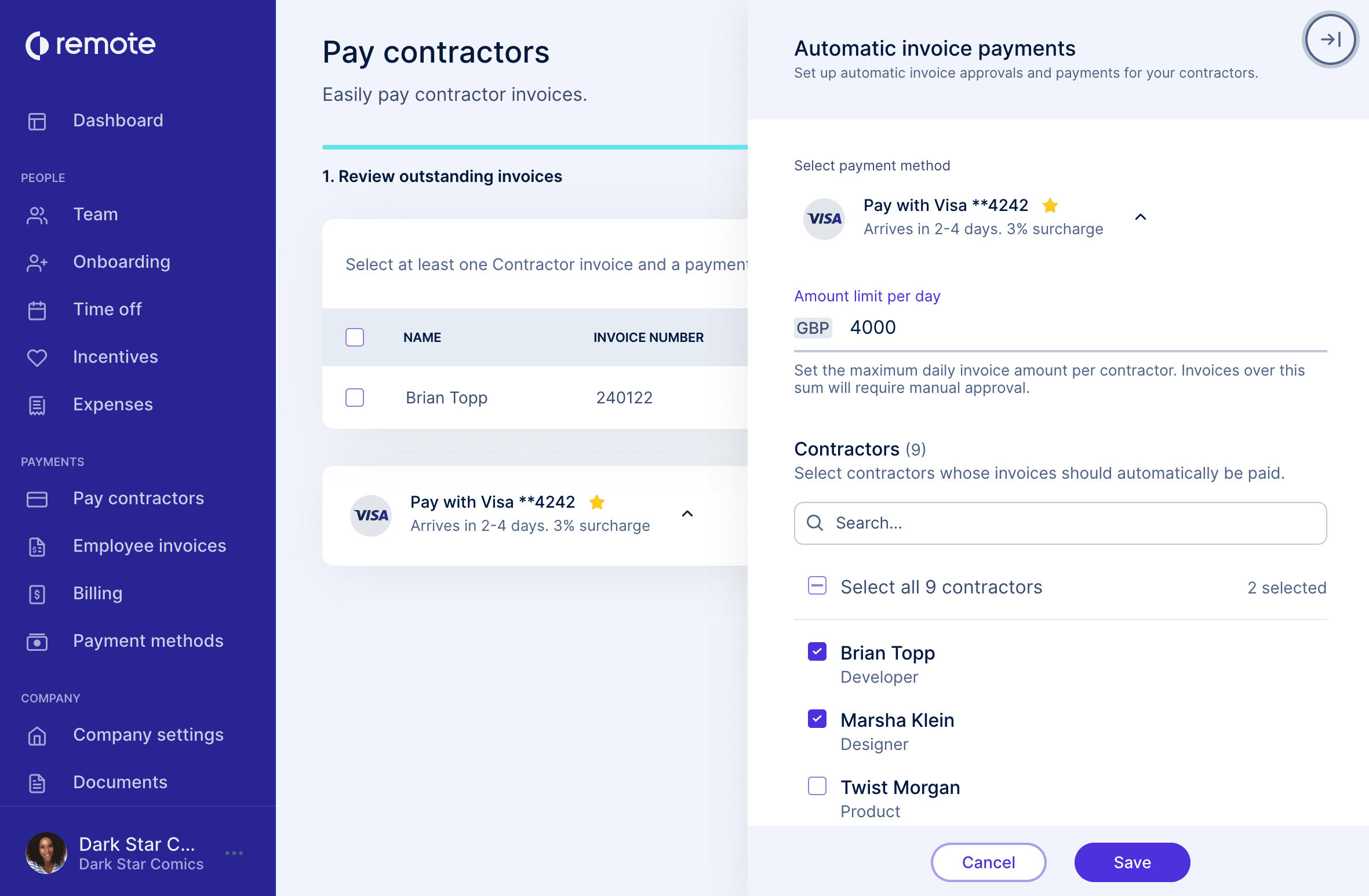
Here, you can set up automatic invoice approvals and payments for your contractors.
Getting up-and running is as easy as 1-2-3!